Overview
Unfolder takes a 3D model — a prop, a piece of armor, a helmet — and flattens it into a printable, 1:1-scale pattern you can cut and fold back into the original shape.
Upload a model and Unfolder immediately computes a first pass at the pattern: it picks which edges become folds and which become cuts, preferring to cut along sharp creases so the seams fall somewhere natural. From there, the 3D view and the flattened layout stay in sync — click any edge in the viewport to toggle it between folded and cut, and the pattern updates instantly.
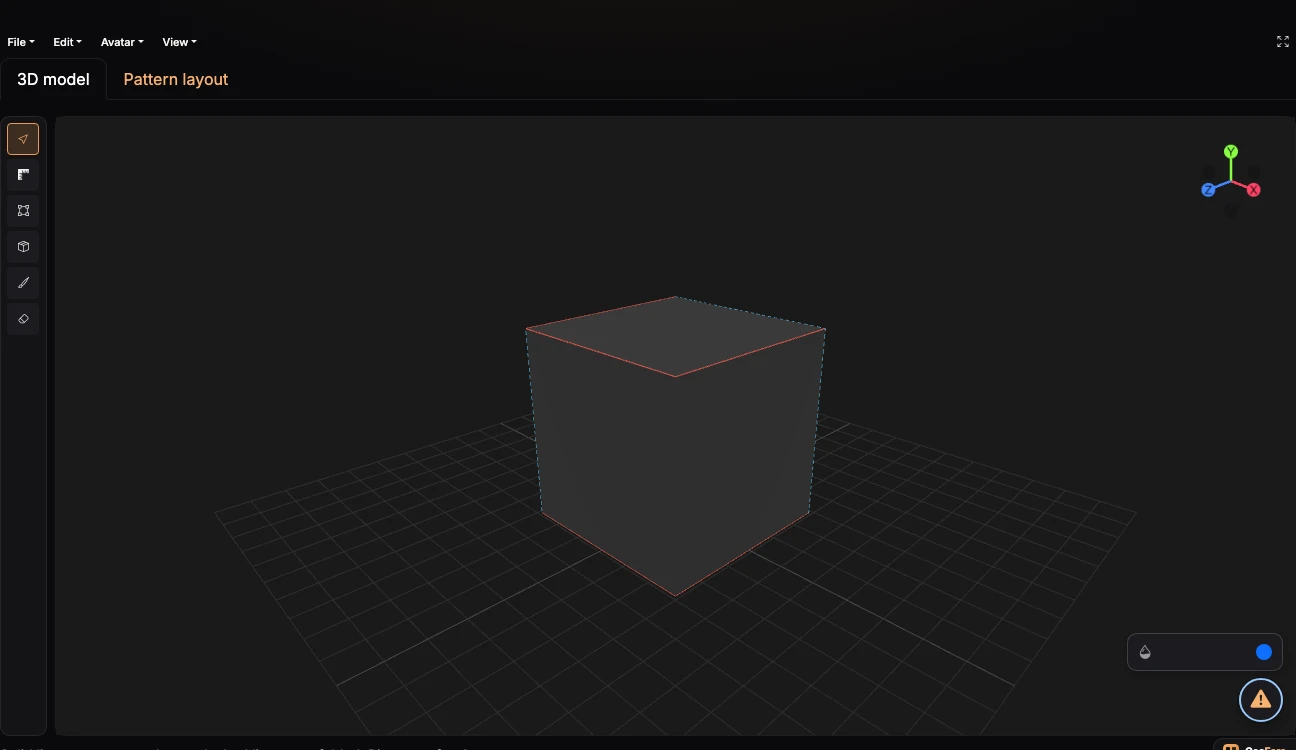
Fig. 1 — A cube in Unfolder's 3D view — solid red edges are the proposed cuts, dashed edges stay folded
Nothing you upload leaves your browser unless you register and explicitly save the project. See Getting started for the first-run walkthrough, or jump straight to Keyboard shortcuts if you just want the reference table.
What it's for
- Turning a sculpted or downloaded 3D prop into cut-and-fold cardstock, EVA foam, or paper pieces
- Checking a model's real-world size against a reference avatar before you commit to printing it
- Exporting cut lines straight to a laser cutter or CNC via DXF, or to Poster Maker for a tiled, print-ready PDF
Where to go next
-
Upload a model and get your first pattern out.
-
Orbiting, panning, zooming, and the reference avatar.
-
Every tool in the mode toolbar, and what clicking an edge actually does.
-
The full reference.
-
SVG, DXF, and print-ready output.